Use Cases

CRM System

Fast delivery
Target: first MVP in about 4 weeks
After full payment (T&C section 5)
Exclusive usage rights
Free, from final delivery
30 days of bug fixes

Last updated:

CRM System - Context Studios AI Solutions
CRM System
CRM System

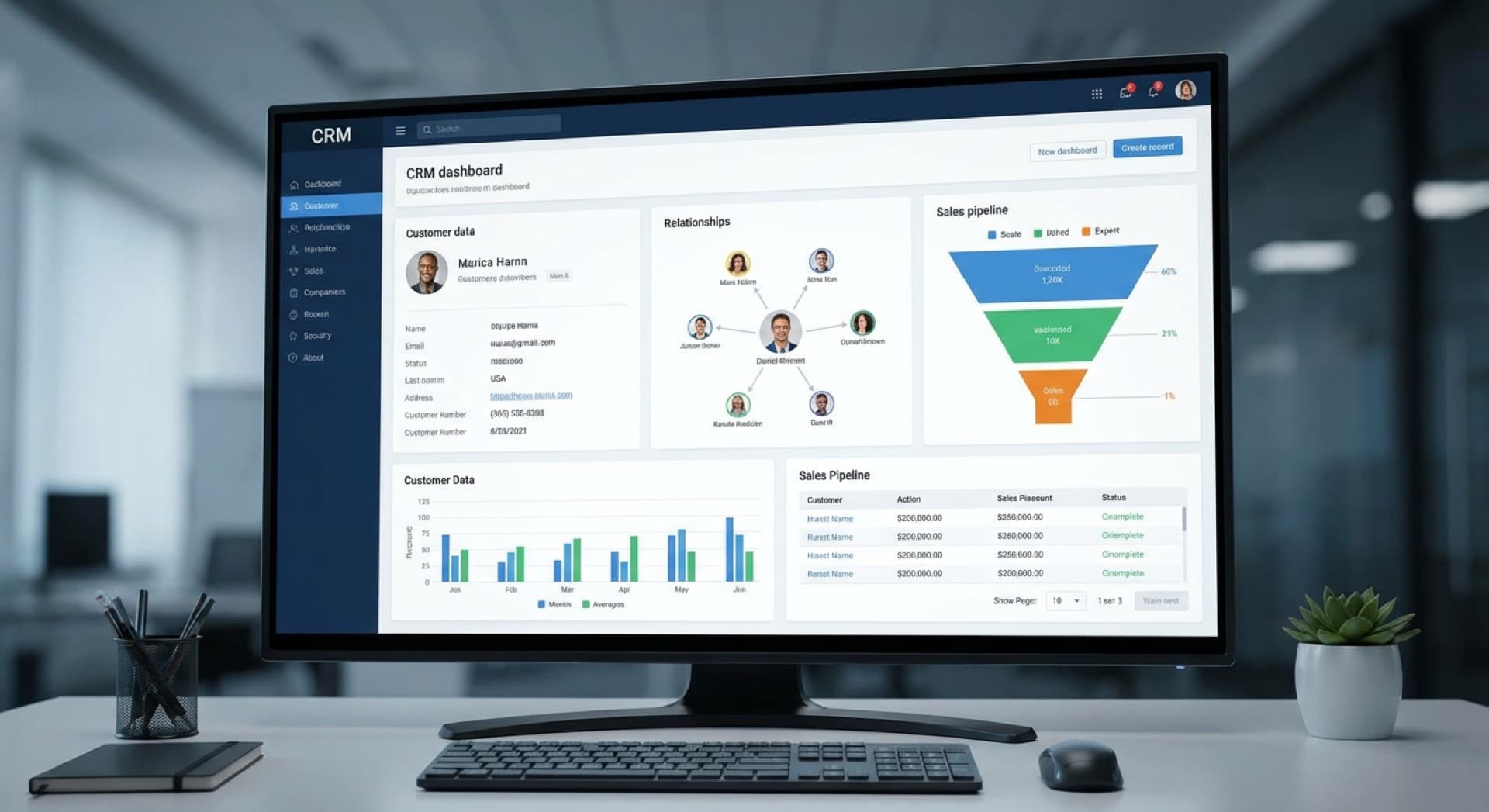
CRM System: AI-powered CRM with autonomous sales agents, predictive deal scoring, and intelligent automation that works for you around the clock.

(01)

Are you losing customers through disorganized contact management?

(02)

Is your customer data scattered across different tools?

(03)

Are you losing time with manual tracking?

The following solution examples illustrate how digital tools can optimize specific business processes and workflows. Context Studios supports you in developing the right digital solution for your use case.

The following examples serve as inspiration and show the spectrum of possible digital solutions. Each project is individually tailored to your requirements and budget.

According to Salesforce (State of Sales, 2024), sales teams spend around 70% of their time on tasks that have nothing to do with selling. Our AI CRM changes that. AI SDR agents research leads autonomously, personalize outreach, and book meetings while you sleep. Predictive lead scoring uses ML to identify which leads will convert, so reps can focus on deals they can close. Conversation intelligence analyzes calls and emails to uncover winning patterns and coach underperformers. Auto-enrichment pulls in company data, social profiles, and intent signals automatically. Our targets we measure together in the project: 30–50% higher sales productivity and up to 20% higher win rates.

The CRM market is going through an AI revolution. B2B sales interactions are increasingly shifting to digital channels. The winners are platforms with AI agents that can handle lead qualification, follow-up sequences, and meeting scheduling autonomously. Key trends: AI SDRs for initial outreach, predictive analytics for at-risk deals, conversation intelligence for real-time coaching, and deep integration with intent data providers.

Common Challenges

  • Are you losing customers through disorganized contact management?
  • Is your customer data scattered across different tools?
  • Are you losing time with manual tracking?

A professional digital solution addresses these challenges through automation, centralization, and intelligent processes.

(01)

Comprehensive customer management with detailed profiles

(02)

Visual sales pipeline for better oversight

(03)

Automatic contact tracking of all interactions

(04)

Activity log for all customer interactions

(05)

Comprehensive reporting and analytics features

(06)

Email integration with Gmail and Outlook

(01)

Sales increase through better lead management

(02)

Stronger customer relationships and higher retention

(03)

Time savings through automation of recurring tasks

Three ways to a result

From a quick setup to a full build with ongoing operations. We will work out which one fits in the first call.

Recommended

Setup

1–2 weeks
  1. (01)

    Consultation & Selection

    Requirements analysis and selection of the right SaaS tools

    Day 1-2
  2. (02)

    Setup & Configuration

    Setting up and customizing SaaS platforms for your needs

    Day 3-7
  3. (03)

    Launch & Training

    Go-live, team training and handoff with documentation

    Day 8-14
Build something that runs

Sprint

4 weeks
  1. (01)

    Discovery & Kickoff

    Requirements analysis, technical architecture and project setup

    Week 1
  2. (02)

    Development Sprint

    Agile development of core features with daily updates

    Week 2-3
  3. (03)

    Testing & Polish

    Quality assurance, bug fixes and performance optimization

    Week 4
  4. (04)

    Launch & Handoff

    Deployment, documentation and handoff with support

    End of Week 4
Expand and operate

Build & support

8+ weeks
  1. (01)

    Assessment & Discovery

    Deep analysis of your requirements and system landscape

    Week 1-2
  2. (02)

    Workshop & Architecture

    Collaborative design and technical architecture planning

    Week 3-4
  3. (03)

    Development Phases

    Iterative development in sprints with regular reviews

    Week 5-12
  4. (04)

    Testing & QA

    Comprehensive quality assurance and user acceptance testing

    Week 13-14
  5. (05)

    Launch & Scale

    Production launch, training and long-term support

    Week 15-16

Four formats

Every service comes in one of these four formats, from a facilitated day to ongoing development.

Projects (setup, sprint, build): 50% at project start · 50% on acceptance

The three workshop tiers

three fixed prices
  • Light DiscoveryHalf day (4 h), remote€1,500 excl. VAT
  • Strategy Day1 day (8 h), remote or on-site€2,500 excl. VAT
  • Prototyping Sprint2 days, on-site recommended€4,500 excl. VAT

Book a workshop

(01)How does the AI learn from our data?
Our AI analyzes your historical data to build custom models specific to your business. It learns patterns, preferences, and behaviors unique to your operations—continuously improving accuracy as you use the system. Your data never trains shared models.
(02)Can we start without AI features and add them later?
Absolutely. You can begin with core functionality and enable AI features gradually as you become comfortable. AI capabilities are modular—turn them on when ready, no migration required.
(03)What happens when the AI makes a mistake?
AI suggestions are always reviewable—you maintain final control. The system includes feedback mechanisms so it learns from corrections. Confidence thresholds let you auto-approve high-certainty actions while flagging edge cases for human review.
(04)How long does CRM implementation take?
Implementation duration varies based on complexity and company size. A basic CRM system is typically ready in about 4-6 weeks, while more complex solutions with integrations and customizations typically take 8-12 weeks. We work agile and usually deliver a first functional prototype in about 2-3 weeks that your team can test.
(05)What data should be stored in the CRM system?
An effective CRM system should centralize all customer-relevant information: contact details, communication history, purchase history, preferences, support tickets, quotes, and contracts. It's important that data is stored and processed in compliance with GDPR. We help you define a sensible data structure that meets your requirements.
(06)Can the CRM system integrate with our existing tools?
Yes, modern CRM systems are designed to seamlessly integrate with other business applications. Typical integrations include email clients (Gmail, Outlook), calendar systems, accounting software, marketing automation tools, and telephony systems. We evaluate your existing tool landscape and create an integration plan that ensures maximum efficiency.

Have more questions? Contact us for personal consultation.

Ready for CRM System

Let's start your digital transformation together

30 minutes free initial consultation • No obligations