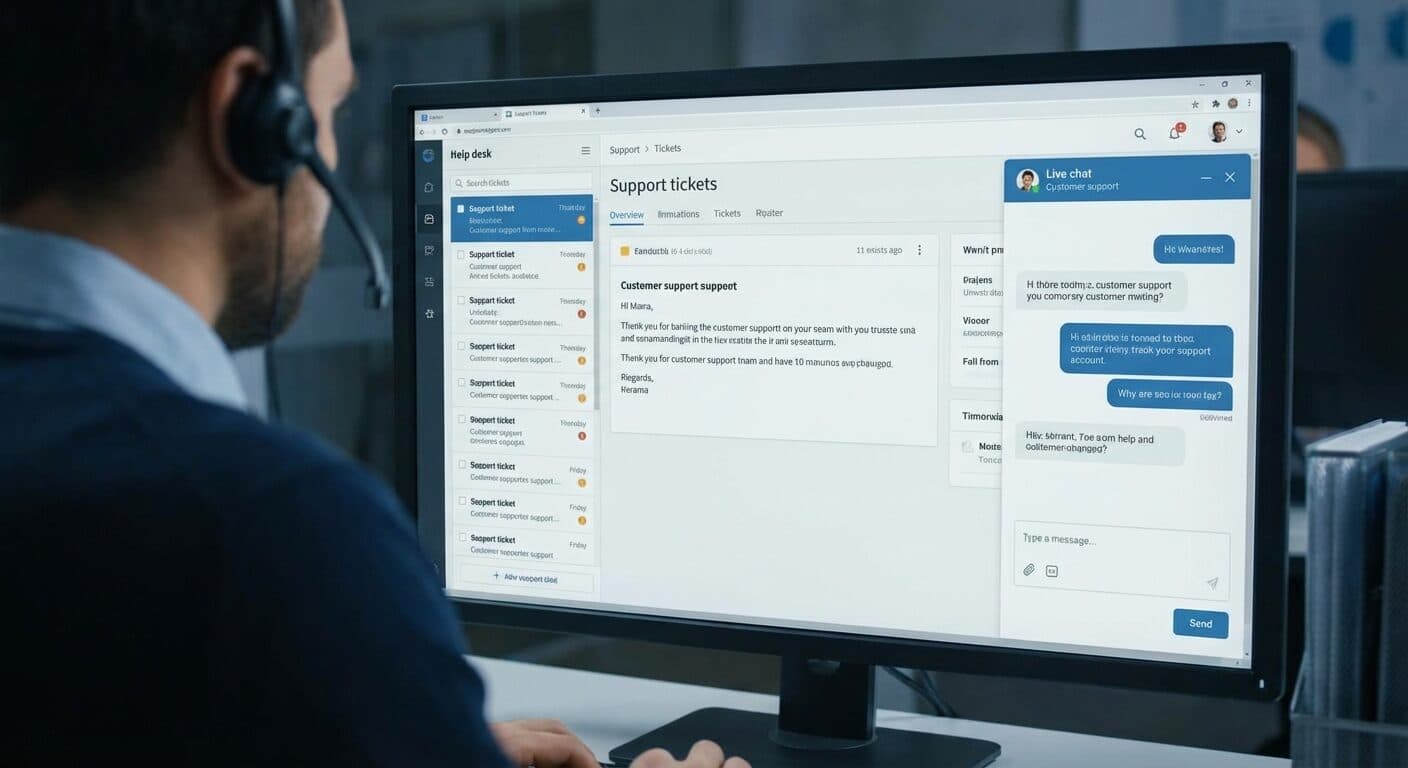
Support Ticketing - Context Studios AI Solutions

Support Ticketing

AI-powered ticketing with auto-resolution, predictive escalation, and 360-degree customer context

Challenges We Solve

  • Are support tickets getting lost?
  • Does problem solving take too long?
  • Is it unclear who is responsible for which ticket?
MVP in 4 weeks
Fast delivery
Full source code
You own everything
14+ days support
After go-live

Possible Solution Approaches

The following solution examples illustrate how digital tools can optimize specific business processes and workflows. Context Studios supports you in developing the right digital solution for your use case.

The following examples serve as inspiration and show the spectrum of possible digital solutions. Each project is individually tailored to your requirements and budget.

Why This Solution is Crucial

Ticketing with a brain. AI resolves routine issues automatically, predicts escalations before they happen, and gives agents instant context on every customer. Organizations leveraging AI-powered ticketing see 45% faster resolution times, 30% reduction in ticket volume through auto-resolution, and 25% improvement in agent productivity. Predictive Resolution Time tells customers when to expect answers. Proactive SLA Alerts warn your team before breaches, not after. Auto-Suggested Solutions pull relevant KB articles instantly. The 360-degree Context Engine summarizes entire customer history in seconds, while Quality Scoring provides AI-driven coaching for continuous improvement.

Market & Trends

The AI-powered help desk market is projected to reach $28.5 billion by 2028, with AI capabilities driving 65% of new implementations. Key trends reshaping support: Auto-Resolution handling 40-60% of routine tickets without human involvement, Escalation Prediction identifying at-risk tickets before they spiral, intelligent KB article suggestions reducing agent research time by 50%, and Quality Scoring enabling data-driven coaching. The shift from reactive to predictive support is accelerating - AI does not just route tickets, it resolves them, predicts problems, and continuously improves agent performance.

Common Challenges

  • Are support tickets getting lost?
  • Does problem solving take too long?
  • Is it unclear who is responsible for which ticket?

A professional digital solution addresses these challenges through automation, centralization, and intelligent processes.

Example Features

Comprehensive ticket tracking with status
Priority management for tickets
SLA monitoring and automatic escalations
Automatic team assignment by expertise
Knowledge base integration with suggestions
Customer history with previous bookings
Benefits

What You Gain

Discover the benefits of our solution for your business

1

Faster problem solving through structured process

2

Clear responsibilities for all tickets

3

Higher customer satisfaction through faster support

Choose Your Implementation Path

Three proven paths to success - tailored to your requirements

Consultation & Selection

Day 1-2

Requirements analysis and selection of the right SaaS tools

Needs AnalysisTool RecommendationCost-Benefit Analysis

Setup & Configuration

Day 3-7

Setting up and customizing SaaS platforms for your needs

Account SetupWorkflow ConfigurationAutomation Setup

Launch & Training

Day 8-14

Go-live, team training and handoff with documentation

Go-LiveTeam TrainingSupport Documentation
Our Development Expertise

How Context Studios Develops Your Solution

Three proven paths - tailored to your requirements

Proven SaaS Tools

HubSpot, Notion, Airtable, Make & more

Custom Configuration

Tailored to your processes

Workflow Automation

Reduce manual work by 80%

Quick Start

Ready in 1-2 weeks

No Development Risk

Proven tools instead of custom code

Training & Support

Your team gets trained and supported

You might also be interested in

Discover related topics and solutions for your requirements

Frequently Asked Questions

Answers to the most important questions about implementation

Our AI analyzes your historical data to build custom models specific to your business. It learns patterns, preferences, and behaviors unique to your operations—continuously improving accuracy as you use the system. Your data never trains shared models.

Absolutely. You can begin with core functionality and enable AI features gradually as you become comfortable. AI capabilities are modular—turn them on when ready, no migration required.

AI suggestions are always reviewable—you maintain final control. The system includes feedback mechanisms so it learns from corrections. Confidence thresholds let you auto-approve high-certainty actions while flagging edge cases for human review.

Priority and SLA design requires balancing customer expectations with operational reality: (1) Priority levels - typically 4 levels: Critical (system down, revenue impact), High (significant impact, workaround exists), Medium (limited impact, can wait), Low (questions, feature requests). (2) SLA definition - set response time (first reply) and resolution time for each priority. Example: Critical 1hr response/4hr resolution, High 4hr/24hr, Medium 8hr/48hr, Low 24hr/5 days. (3) Business hours - define SLA hours (24/7 for critical? business hours for others?). (4) Escalation rules - automatic escalation when approaching SLA breach. (5) SLA pausing - pause timer when waiting for customer response. (6) Customer tiers - different SLAs for premium customers. Monitor: SLA compliance rate (target >95%), average response/resolution times, trends by priority and category.

Smart routing reduces resolution time and improves first-contact resolution: (1) Auto-categorization - use keywords, forms, or AI to classify tickets by type. (2) Skills-based routing - match ticket category to agent expertise (billing experts handle billing tickets). (3) Load balancing - distribute tickets evenly across available agents to prevent backlogs. (4) Customer history - route returning customers to same agent when possible for continuity. (5) Priority routing - critical tickets go to senior agents or dedicated queue. (6) Time-zone routing - route to agents in appropriate time zone for faster response. (7) Round-robin vs. pull - assign automatically or let agents select from queue (higher engagement but risk of cherry-picking). Implementation: start simple with category-based routing, add sophistication as you learn patterns.

Automation eliminates repetitive work: (1) Auto-acknowledgment - immediate confirmation when ticket is received. (2) Auto-categorization - classify tickets based on keywords, forms, or AI analysis. (3) Auto-assignment - route to appropriate queue or agent. (4) SLA triggers - alerts when approaching breach, automatic escalation. (5) Status updates - notify customers when ticket status changes. (6) Follow-up reminders - alert agents on tickets waiting for customer response. (7) Satisfaction surveys - automatically send after resolution. (8) Macros and templates - pre-written responses for common issues. (9) Merge duplicates - identify and combine related tickets. (10) Auto-close - close tickets after X days without customer response (with warning). Start with high-volume, low-complexity automations for immediate impact.

Have more questions? Contact us for personal consultation.

Ready for Support Ticketing?

Let's start your digital transformation together

30 minutes free initial consultation • No obligations